Design the target operating model faster, and stay on to prove it is built
Stratavue TOM Delivery turns your operating model work into a live client asset. Capture the current state from an AI first draft, design the target in one model, produce the deliverables your client signs off, and keep measuring how much of it exists.
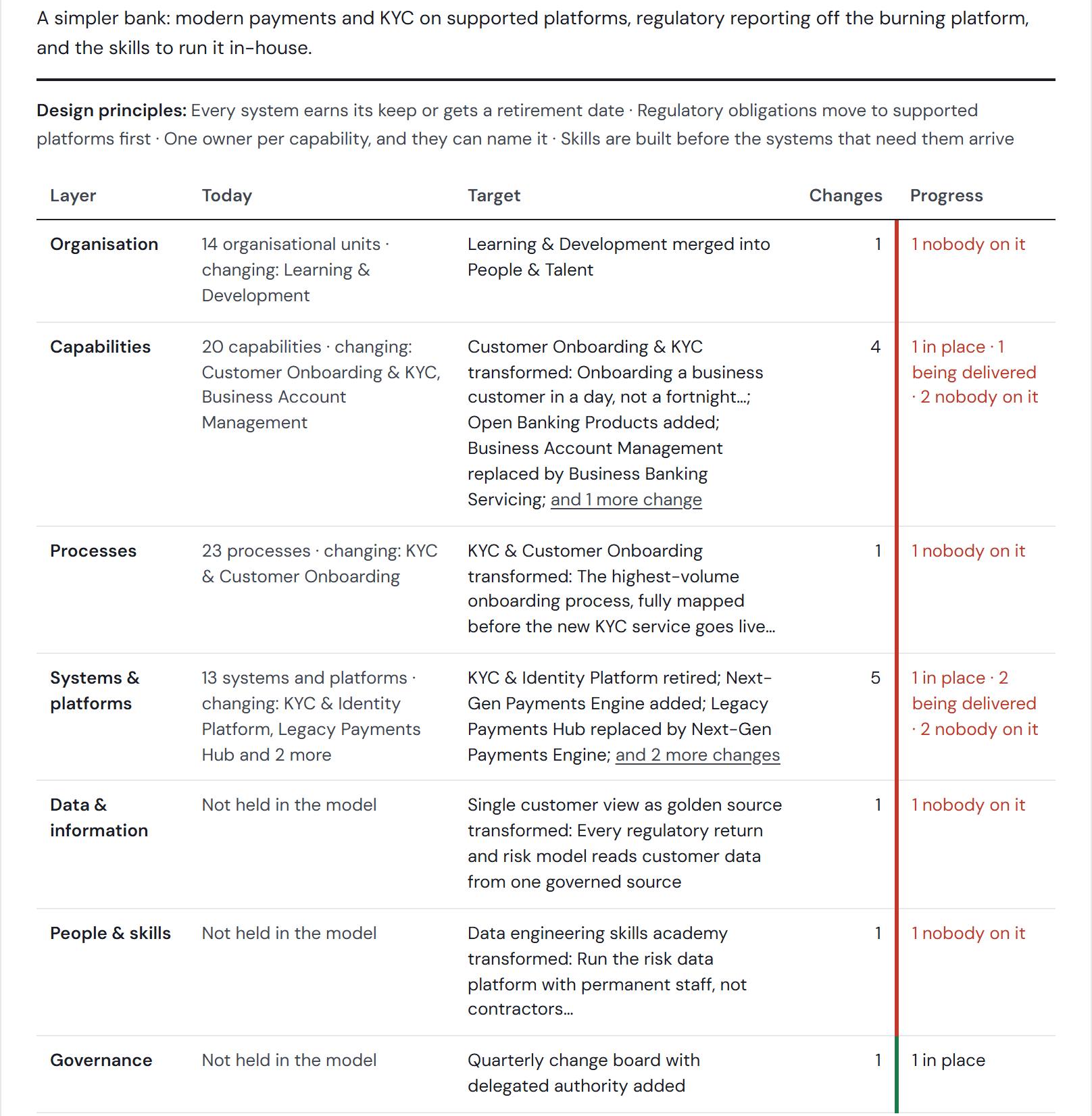
What your team gets
The current state without the blank page
Describe the client's business in plain English and the AI drafts its business areas and capabilities. Your team corrects the first pass instead of building it from nothing.
Client-ready deliverables, generated from the model
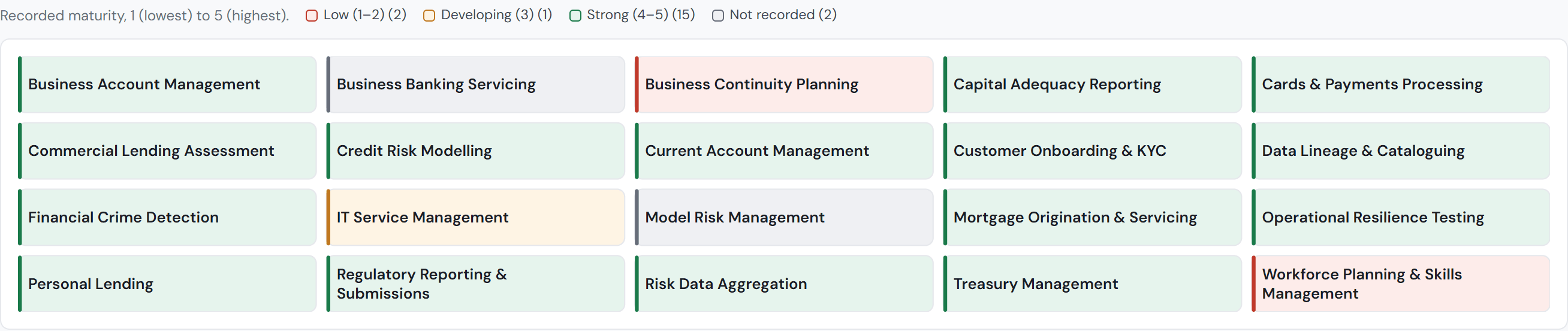
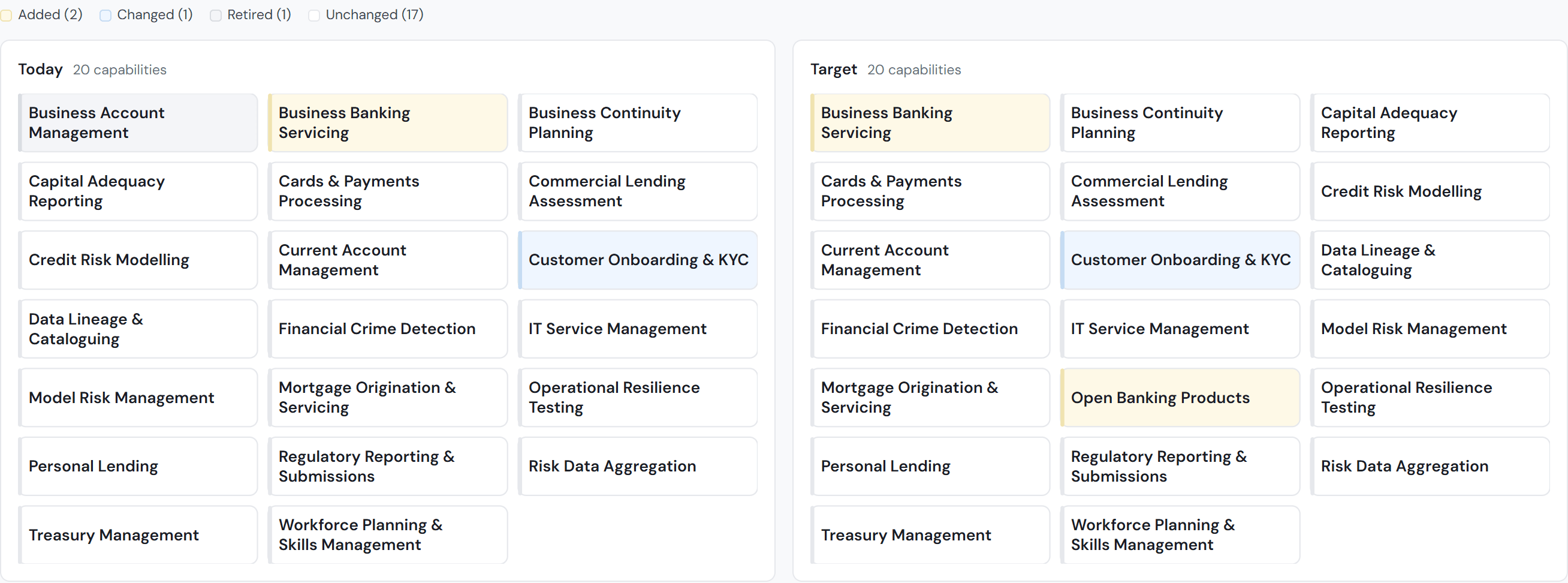
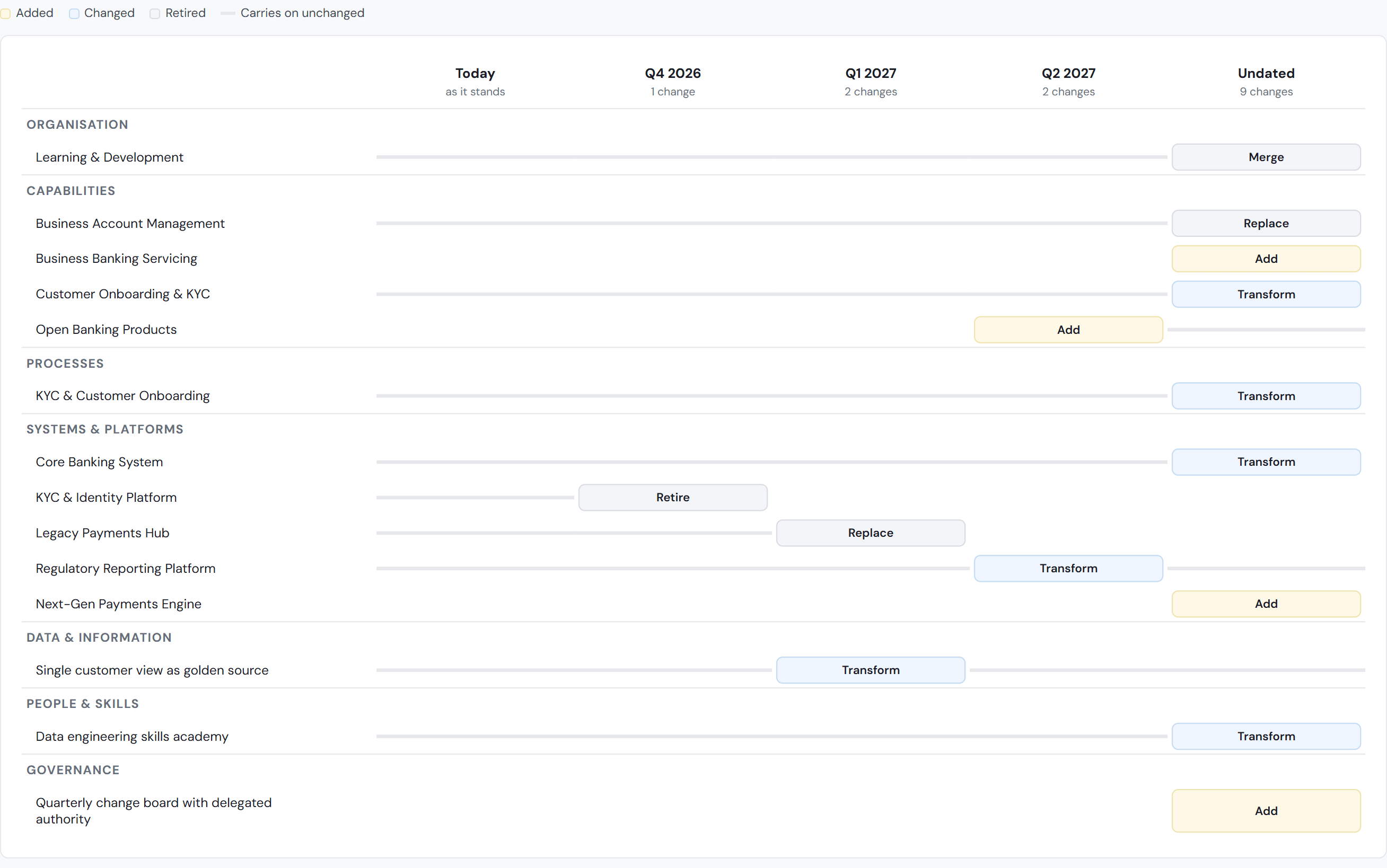
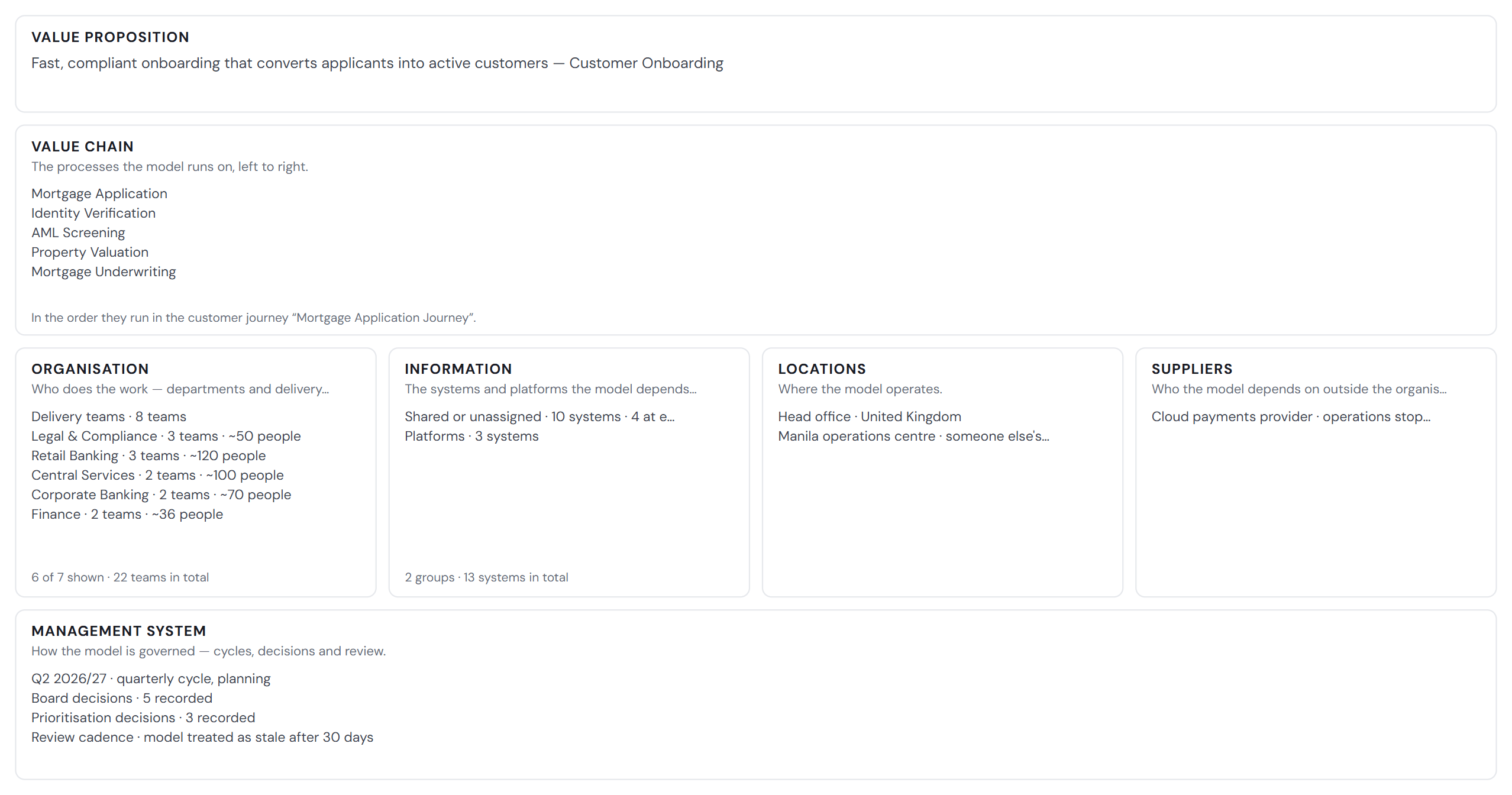
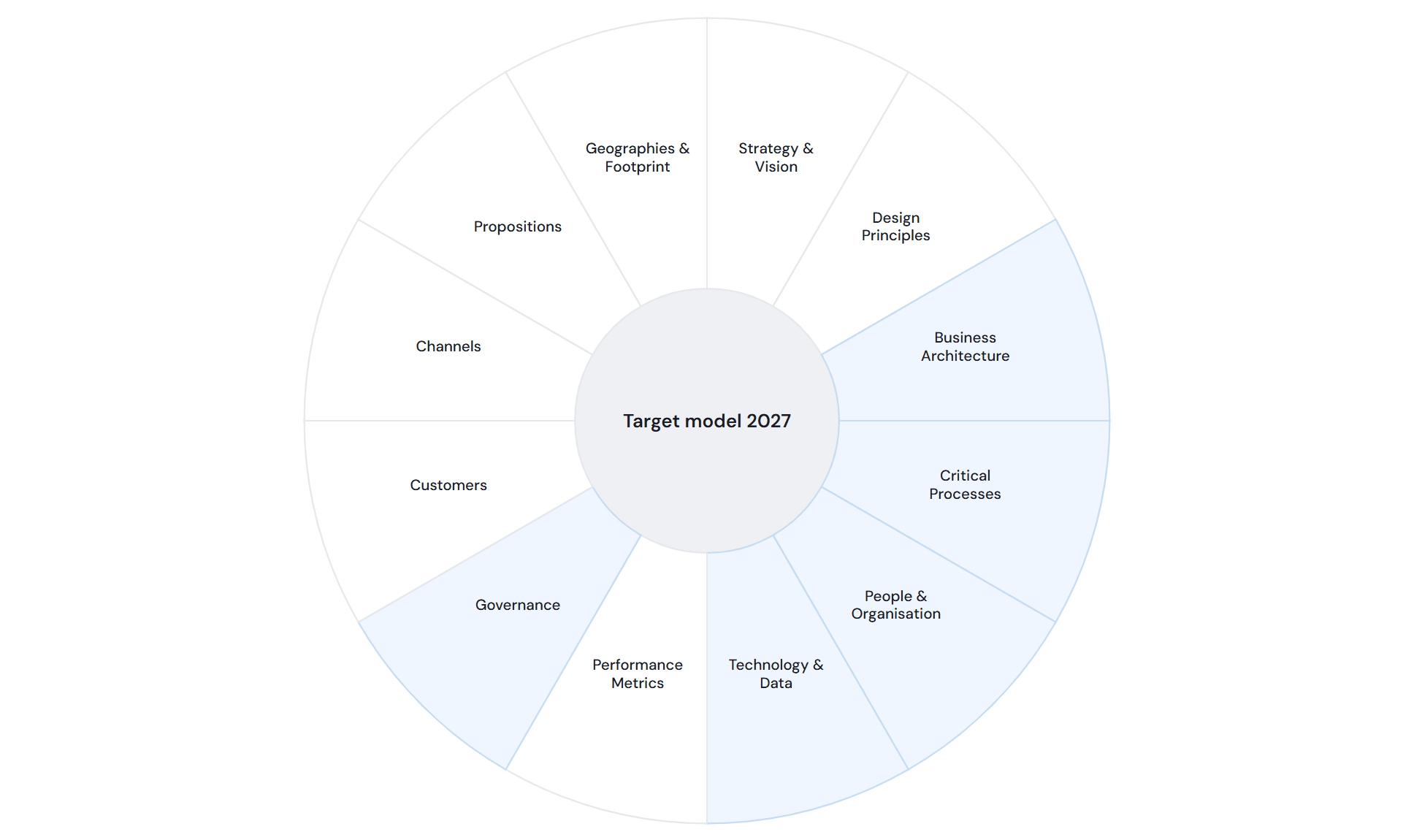
TOM on a page, the capability map, current versus target, transition states and the operating model canvas, all drawn from the same model and exported as SVG, PNG or print.
A reason to stay after sign-off
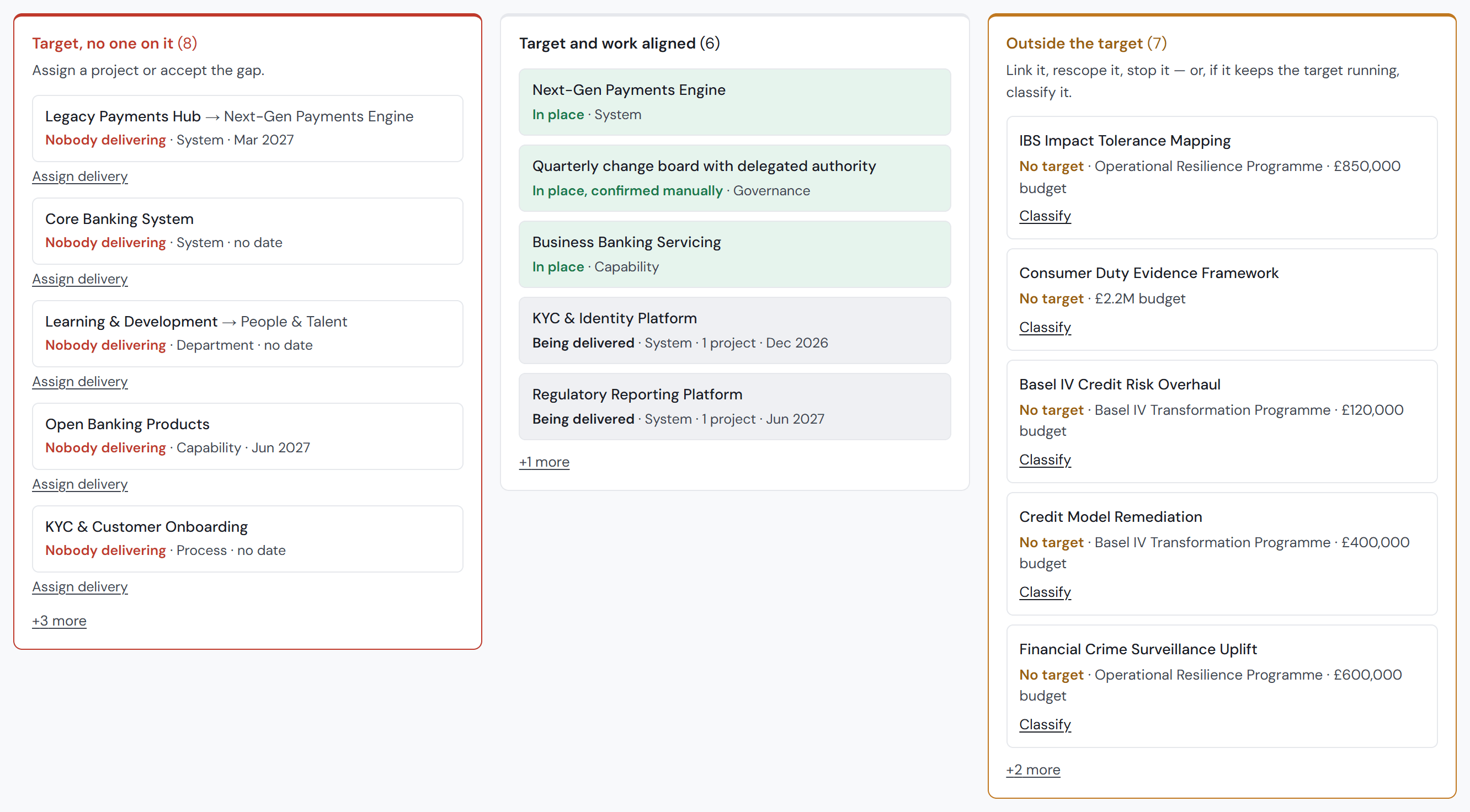
The model keeps measuring how much of the target is actually in place, so the engagement does not end at the handover.
Why operating models end up on the shelf
“I've worked on every kind of deliverable, and alongside consultancy firms throughout my career. Two problems came up on every engagement.”
You design it, and leave
The consultancy agrees an outcome, such as a business case or a target operating model, delivers it and moves on. A year later, nobody can show whether it was built.
You stay, and can't see it
The consultancy is still there, and finds it near impossible to map the live change happening in the client's business to the target it designed.
From current state to a signed-off target
The work your team already does, in one live model instead of a stack of slides.
Capture the current operating model
Start from the AI's first draft of business areas and capabilities, add processes, systems and customer journeys, or import what you already hold in a spreadsheet. The capability map draws itself from the model.
Design the target as changes
Write the target as changes against today's model (add this capability, change that process, retire that system), so the target can always be read against the business as it is.
Plan the transition
See the operating model at each step between today and the target, by the dates the changes are planned for.
Produce the deliverables
The operating model canvas, the twelve-element framework and TOM on a page are generated from the same model, so when the design changes every deliverable changes with it. Export to SVG or PNG for your own templates, or print.
Agree the baseline
Publish versions as the design moves, compare any two field by field, and have the client's executive approve one as the baseline, with who approved it and when on the record.
Keep measuring after handover
Every project is linked to the part of the target it delivers. Attainment is read from the model rather than reported, work outside the target shows as a standing number, and what Stratavue cannot verify says so rather than turning green.
Less time drawing, more time advising
Start from a draft.
The AI's first pass means less senior time spent building the current state before anything is on screen.
Draw once.
Every view comes from the same model, so a change to the design does not mean redrawing six slides.
Stay consistent.
The capability map, the canvas and TOM on a page cannot disagree with each other, because they read the same data.
Fewer hours rebuilding the same picture means fewer people needed on every engagement.
A reason to stay once the design is done
A USP your clients can see.
You hand over a working model, not a PDF.
A natural reason to come back.
The model keeps reading whether the target is being built, which gives you a review every month or quarter rather than a one-off report.
You stay the people who can read it.
The client can see the distance; your team is the one that knows what to do about it.
Starting is low-risk
Use it internally first.
Model an engagement on anonymised labels, so your client does not need to onboard a new supplier.
Start small.
One engagement, one business area, then expand.
Work with the founder.
You deal directly with the person who built it.
Bring one live or upcoming engagement, and we'll walk through how Stratavue TOM Delivery would hold it.